





- Instrument – First, you need high quality Session replays. You'll want to install Session Replay, filter out noise, configure privacy protection, and set up a reverse proxy.
- Observe – Then, watch a few replays yourself and build collections to share with your team. It's a lot of fun!
- Self-drive – Finally, when you find yourself drowning in replays, get a robot to watch replays for you and even open PRs for improvements and fixes!
Session Replay 101
Session Replay records what real users do in your product and plays it back like a DVR Fig. 1, with a synced dev tool panel showing console logs, network requests, and errors at the exact moment they happened. This is one of the tools that makes your product self-driving.
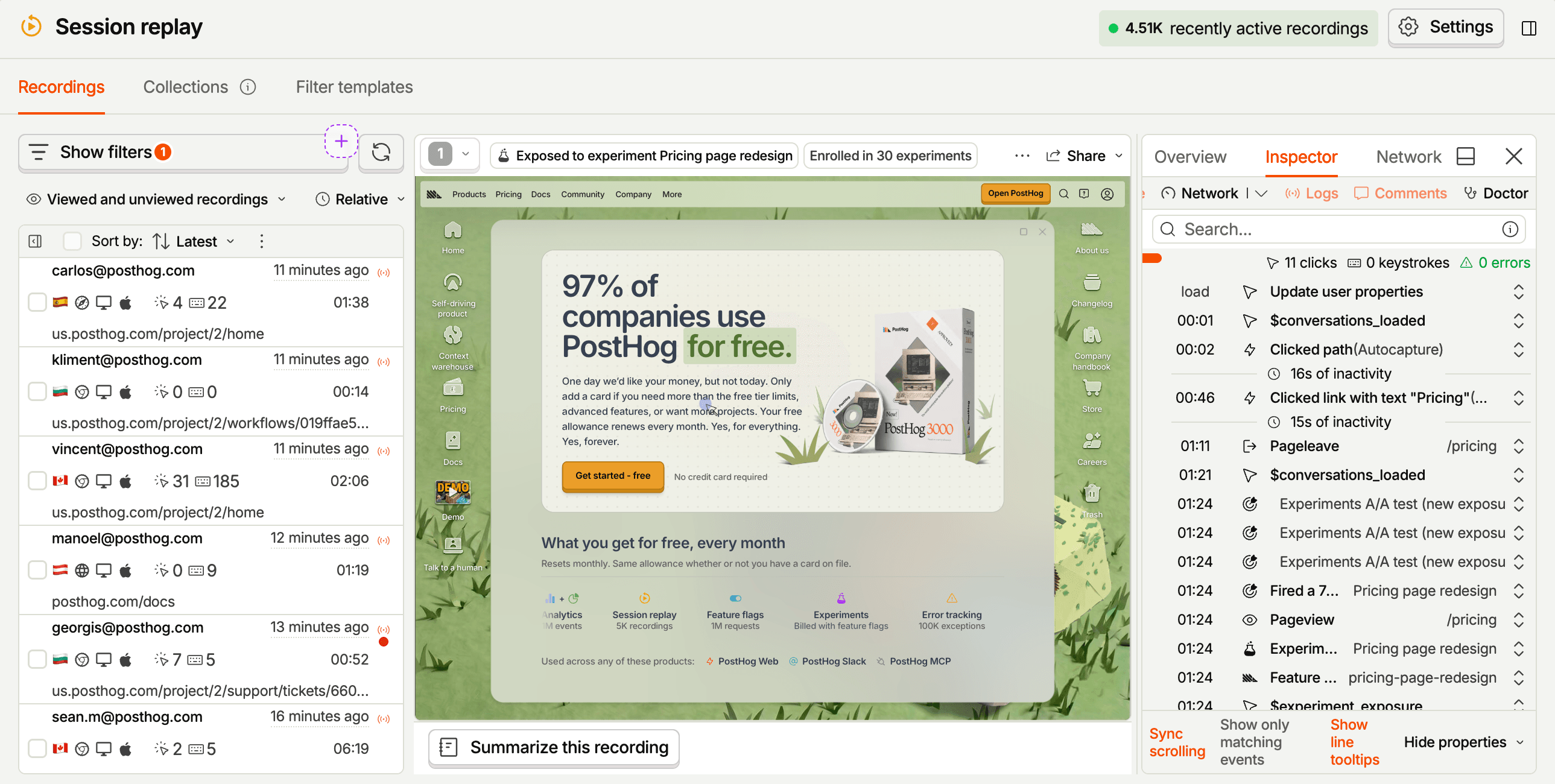
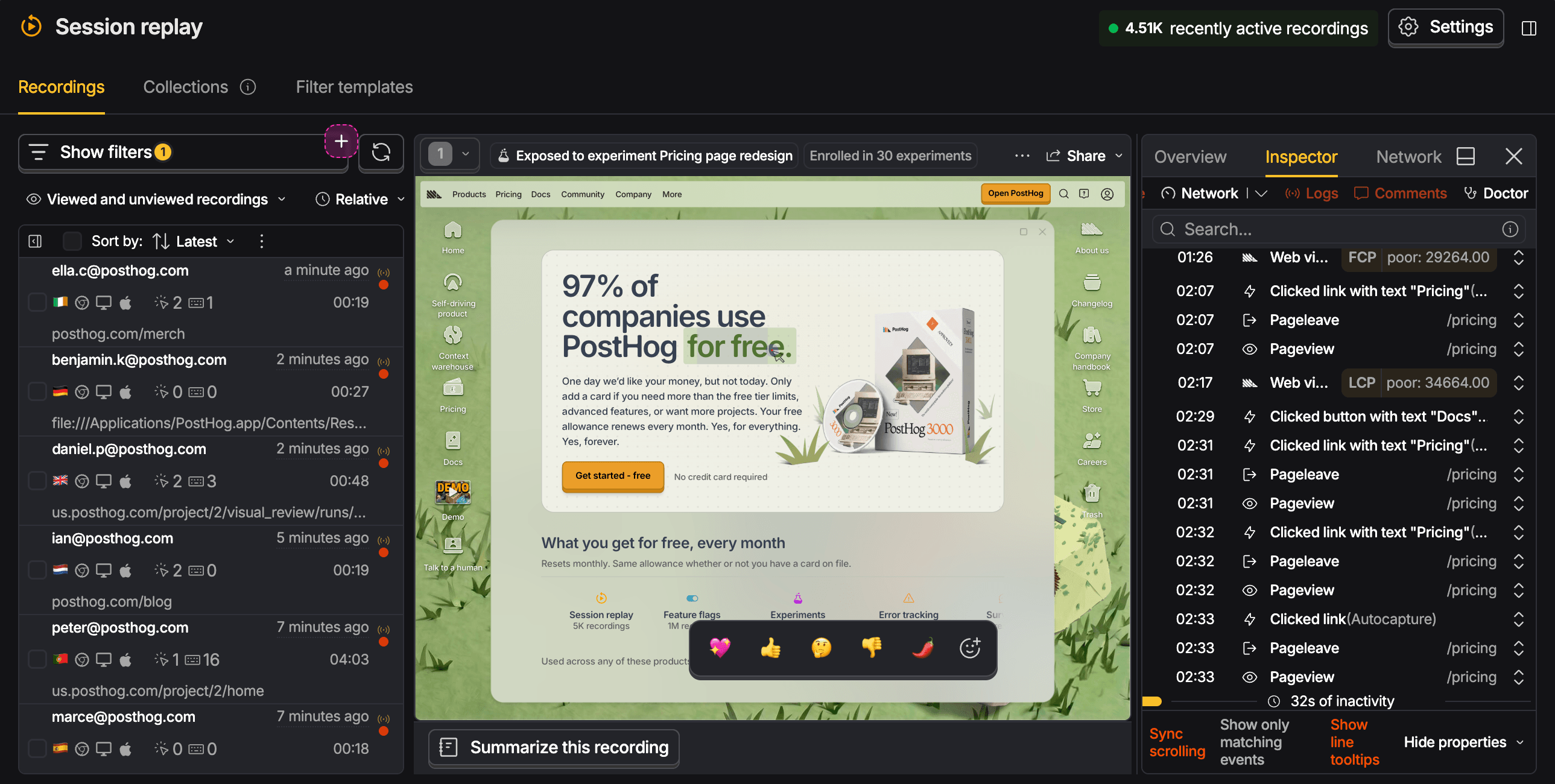
A replay is not a video. The SDK records what changed on the page and the player rebuilds it, alongside the events, errors, and person PostHog already had. We'll take the player apart properly in Watching replays yourself.
Path to self-driving
Session Replay enables self-driving by providing you and your agents the context they need to make informed decisions. Session Replays let you do this in different levels:
The goals is to get actionable reports based on your session replays automatically in your inbox, like this one Fig. 2.
P2Accounts that left onboarding midway can no longer finish it Accounts that left onboarding midway can't get past step two. The workspace they created last time blocks them, and the name it holds is their ownScout · dead-end pagesReadyActionable5h ago
ArchiveReviewThis pocket guide will walk you through each level of autonomy you can achieve with Session Replay.
Install and turn it on
None of it works until a PostHog SDK is in your app. The wizard installs and configures one for you, or you can install it yourself.
npx @posthog/wizardRecording is a project setting as well as an SDK one, so switch it on in project settings before you expect to see anything. We'll go over configuration decisions in the next page.